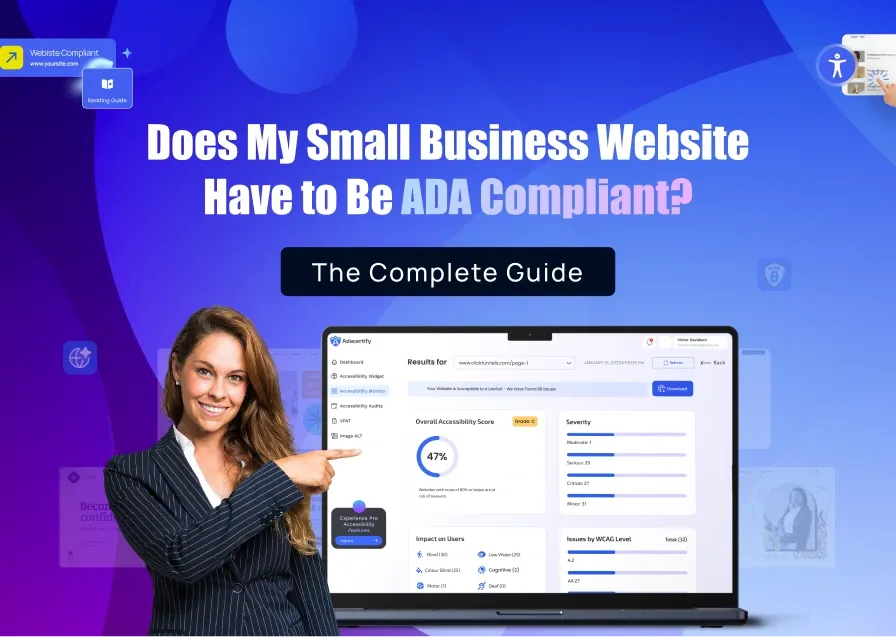
Does ADA compliance affect SEO? The answer isn’t as straightforward as most people expect. Google has not confirmed ADA compliance as a direct ranking factor. What it has confirmed is that the signals accessibility improvements generate, structured content, faster pages, better usability, lower bounce rates, are exactly the signals its algorithm rewards.
This post explains the specific connections between web accessibility and search performance, what the evidence says, and which accessibility fixes have the most SEO impact.
Does ADA Compliance Directly Affect SEO Rankings?

No single ADA compliance checkbox directly changes your Google ranking. Google’s algorithm does not scan for WCAG conformance and assign a score. But that framing misses how the relationship actually works.
Accessibility improvements change the technical structure, content quality, and user behavior signals of your website. Google’s algorithm measures those signals. So while ADA compliance does not directly affect SEO, the improvements you make to become compliant create the conditions for better rankings.
The accessibility factors that have the strongest SEO overlap are image alt text, heading structure, page speed, keyboard navigation, and content clarity. These are not coincidentally the same areas that both WCAG guidelines and Google’s quality signals focus on.
How ADA Compliance Affects SEO: Six Important Connections
1. Alt Text Helps Google Understand and Rank Your Images
One of the basic requirements of WCAG is adding descriptive alternative text (alt text) to every meaningful image. Alt text tells screen readers what an image shows so people who are blind or have low vision can understand the content.
Google also reads alt text to understand images. Without it, search engines have little information about what an image contains, making it less likely to appear in Google Images. Adding clear, descriptive alt text helps your images get indexed correctly and can bring in additional visitors from image searches.
This is one of the strongest links between accessibility and SEO. The same alt text that makes your website accessible also helps Google understand your content.
2. Proper Headings Help Google Understand Your Content
Accessible websites use headings in a logical order. Each page should have one main heading (H1), followed by H2s for major sections and H3s for subsections.
This structure makes it easier for screen reader users to navigate a page. It also helps Google understand how your content is organized and which topics are most important.
When headings are used only to make text look bigger or bolder instead of showing the structure of the page, both users and search engines can become confused. A clear heading structure improves accessibility while also making your content easier for Google to crawl, index, and sometimes feature in search results.
3. Accessibility Improvements Often Make Websites Faster
Many accessibility best practices also improve website performance. Optimizing images, using clean HTML, reducing unnecessary JavaScript, and creating responsive pages all help a website load faster and run more smoothly.
Google measures page performance through Core Web Vitals, which include loading speed, visual stability, and responsiveness. Better scores can have a positive impact on SEO.
Accessibility tools should also be designed with performance in mind. For example, an accessibility widget that loads in the background without blocking the page helps improve accessibility without slowing down your website.
4. Accessible Websites Keep Visitors Engaged for Longer
People are more likely to stay on a website when they can use it easily. If visitors can navigate menus, read content, and complete forms without difficulty, they are less likely to leave immediately.
On the other hand, inaccessible pages create frustration. A menu that cannot be used with a keyboard or a form that doesn’t work with a screen reader may cause visitors to abandon the site.
When users stay longer, visit more pages, and interact with your content, it shows that your website provides a good experience. Improving accessibility removes barriers that affect people with disabilities while making the site easier to use for everyone.
5. Descriptive Links Help Users and Search Engines
Accessibility guidelines recommend using link text that clearly describes where the link goes. Instead of writing “Click here,” it’s much more helpful to write something like “Download the ADA compliance checklist.”
Descriptive links help screen reader users understand what each link does without needing additional context. They also help Google understand the relationship between your pages.
Clear internal links make it easier for search engines to crawl your website and understand what each page is about, improving both accessibility and SEO.
6. Well-structured Content is Easier for AI Search Engines to Use
Modern AI search tools such as Google AI Overviews, Perplexity, and ChatGPT look for content that is clear, well organized, and easy to understand.
Pages that use proper headings, short paragraphs, and direct answers are easier for AI systems to read and extract information from. These are the same qualities encouraged by accessibility guidelines.
By creating content that is accessible, you’re also creating content that AI search engines can understand more easily. As AI-powered search continues to grow, clear and accessible content is becoming even more valuable for online visibility.
What the Research Says About Accessible Websites and SEO
| Finding | Source |
| 95.9% of the top million homepages had detectable WCAG failures in 2026, with an average of 56.1 failures per page | WebAIM Million 2026 |
| Accessible websites benefit from better semantic structure, improved crawlability, and higher engagement metrics | RatedWithAI, 2026 |
| Longer session durations, lower bounce rates, and higher interaction rates from accessible navigation are positive ranking signals | Elfsight, 2026 |
| Google rewards accessible design through the signals that matter most in its algorithm: page structure, load time, mobile usability, and user interaction | Oyova, 2025 |
No large-scale study has isolated ADA compliance as a direct SEO ranking factor with controlled methodology. The honest answer is that the research demonstrates strong correlation between accessibility best practices and SEO performance, not direct causation from compliance status alone. The mechanism is clear: accessibility improvements produce better technical structure and better user experience, both of which Google measures and rewards.
Which ADA Compliance Fixes Have the Biggest SEO Impact?
Some accessibility improvements have a much bigger effect on SEO than others. These are the changes that benefit both search engines and people using your website.
Image Alt Text
Adding descriptive alt text to images is one of the most valuable accessibility improvements you can make. Alt text allows screen readers to describe images to people who are blind or have low vision.
It also tells Google what an image contains. Without alt text, search engines may not understand or properly index your images, causing you to miss out on traffic from Google Images. If your website relies heavily on product photos, blog graphics, or other visuals, adding accurate alt text should be one of your top priorities.
Heading Structure
Using headings in the correct order helps both visitors and search engines understand your content.
A page should have one main heading (H1), followed by H2s and H3s to organize the rest of the information. This makes it easier for screen reader users to navigate the page and helps Google identify the main topics being discussed. A well-structured page is also more likely to appear in featured snippets and other enhanced search results.
Page Speed and Core Web Vitals
Many accessibility improvements also make a website faster and more responsive.
Optimized images, cleaner HTML, responsive layouts, and reduced reliance on unnecessary JavaScript all improve loading speed and user experience. These improvements contribute to better Core Web Vitals scores, which Google considers when evaluating page quality. A faster website benefits every visitor while also supporting stronger SEO performance.
Descriptive Link Text
Links should clearly explain where they lead instead of using vague phrases like “Click here” or “Read more.”
Descriptive links help screen reader users decide which links are relevant without guessing. They also help Google understand the relationship between your pages and the topics they cover. This makes your website easier to crawl and improves your internal linking structure.
Color Contrast and Readability
Good color contrast makes text easier to read for people with low vision, color blindness, or anyone using a screen in bright lighting.
Although color contrast is not a major Google ranking factor, better readability creates a better user experience. When visitors can comfortably read your content, they are more likely to stay on your site, explore additional pages, and engage with your content.
Does Having an Accessibility Widget Improve SEO?
An accessibility widget can improve the browsing experience by giving visitors tools such as text resizing, contrast controls, and keyboard navigation. If the widget is built to load asynchronously, it won’t slow down your website or hurt page speed.
However, a widget does not fix the underlying accessibility issues in your website’s code. It cannot automatically add meaningful alt text, correct an improper heading structure, or replace semantic HTML. Those code-level improvements are what produce the accessibility benefits that also support SEO.
Think of it this way. The widget improves the experience visitors have on your site, while code-level accessibility fixes improve how both users and search engines understand your website. The strongest results come from using both together.
How ADAcertify Supports Both ADA Compliance and SEO
ADAcertify helps improve both accessibility and SEO by identifying the issues that matter most.
Its AI-powered scanner detects common problems such as missing alt text, incorrect heading structures, empty links, and other accessibility errors. Expert accessibility auditors then review the website to find issues that automated tools cannot detect, helping ensure a more complete and accurate assessment.
ADAcertify’s accessibility widget also loads asynchronously, so it enhances the user experience without slowing down your website or affecting page performance.
By fixing accessibility at the code level while providing visitors with accessibility tools, ADAcertify helps create websites that are easier for everyone to use and easier for search engines to understand.
Run a free accessibility scan to discover the accessibility issues affecting your website and see which fixes can improve both compliance and SEO.
Conclusion: Does ADA Compliance Affect SEO?
ADA compliance is not a direct Google ranking factor, but many of the improvements required for accessibility also support better SEO.
Adding descriptive alt text, organizing content with proper headings, improving page speed, writing descriptive links, and creating clear site navigation all make a website easier for people to use and easier for search engines to crawl and understand.
Over time, these improvements can lead to better indexing, stronger user engagement, and improved visibility in both traditional and AI-powered search results.
The biggest benefit of accessibility isn’t just reducing legal risk. It’s building a website that works for more people, delivers a better user experience, and gives search engines a clearer understanding of your content.
This version is easier for non-technical readers while remaining SEO-accurate and naturally optimized for search.