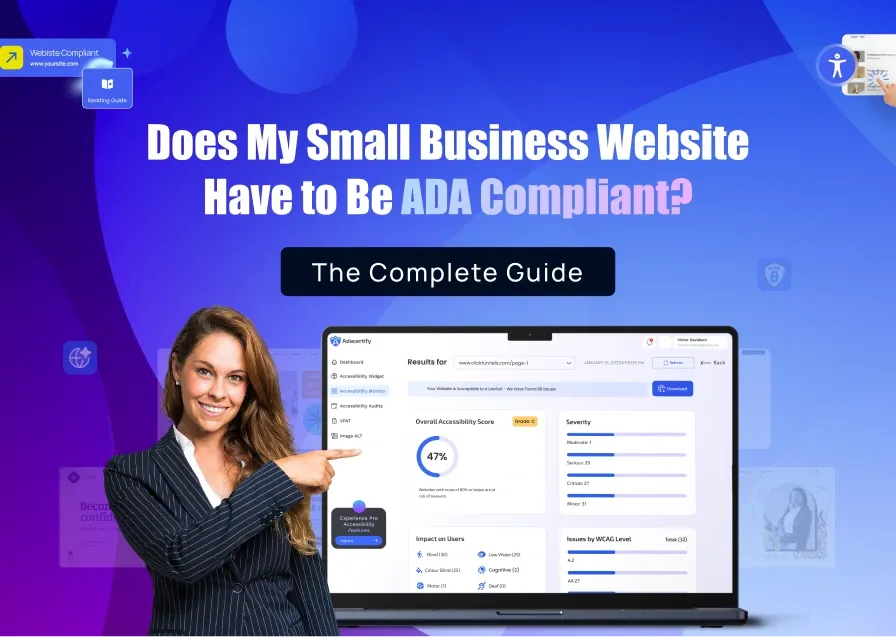
As part of a team of accessibility experts and enthusiasts, I am often conducting research and finding ways to promote inclusivity in the digital space. Part of this involves finding tools that make sure websites are generally easy to use for everyone.
By everyone, I don’t just mean people who live with disabilities. I also mean freelancers, non-technical small business owners, and agencies who know they need to make their business websites compliant, but are stuck on deciding the best software to use for their unique business budget and needs. If you’re looking to compare accessiBe vs ADAcertify, then this is an honest comparison post to help you reach an informed decision and start your compliance journey TODAY!
I’ll start by saying that ADA website accessibility compliance is no longer a fringe legal issue. In 2025, 3,948 ADA website lawsuits were filed in U.S. courts, a 23.84% increase over 2024, according to EcomBack’s annual report.
And behind every lawsuit are an estimated 35,000 to 50,000 demand letters that never make it to court, but still generate settlement costs ranging from $5,000 to $85,000 depending on how far things go.
Both ADAcertify and accessiBe exist to help you avoid that scenario. Both are legitimate platforms with real technology behind them. The question is not which one is a scam — neither is — but which one is a better fit for your situation, your budget, and your compliance goals. That’s what this post will help you figure out.
Understanding What ADA Compliance Actually Requires
Before comparing tools, it helps to understand what “compliance” actually means.
In simple terms, website compliance means making your website easy for everyone to use, including people who rely on screen readers, keyboards, or other assistive tools.
The Web Content Accessibility Guidelines (WCAG 2.1 Level AA) is the rulebook when it comes to global accessibility standards. This is so far the approved checklist for building a website that no one gets locked out of.
WCAG built around four simple ideas:
- Perceivable – People must be able to see or hear your content
- Operable – People must be able to use your site (even without a mouse)
- Understandable – Your content should be clear and easy to follow
- Robust – Your site should work with different devices and tools
Six Commonly Cited Website Mistakes in Most Accessibility Lawsuits.
Images without descriptions
Imagine someone can’t see the images on your website. Without a short description, these people miss your message completely.
Messy page structure
Think of a book with no headings or chapters. It’s hard to follow, right? That’s what a poorly structured website feels like to assistive tools.
Low color contrast
Light gray text on a white background might look stylish, but for many people, it’s almost invisible.
Not usable with a keyboard
Some people can’t use a mouse because they have motor impairments. If your site only works when people navigate it by clicking on a mouse, others who can only use keyboards are stuck.
Buttons and forms not clearly labeled
It’s like having a door with no sign. You don’t know what it does or where it leads. Your site’s buttons and form fields ought to be properly labeled for clarity.
No clear language setting
If a website doesn’t say what language it’s in, assistive tools can misread everything.
Here’s The Key Idea When Choosing a Compliance Tool like AccessiBe vs ADAcertify.
Some problems are like changing a light bulb; it only requires quick and easy fixes on the surface (and in accessibility speak, it’s like adjusting colors or adding labels automatically to your website using a widget).
Others are like fixing the wiring inside your walls. Those require deeper changes to how your website is built.
Tools that only fix the “surface” can handle the easy stuff but tools that also fix the “inside” can solve both, and that’s what truly reduces your risk.
How Does AccessiBe Really Work?
One thing I tend to appreciate when trying out accessibility tools is when they make it easy to get started, and accessiBe does that well. You don’t need to rebuild your website or mess with complicated settings. You just drop in a single line of code, and the main tool, accessWidget, starts doing its thing almost immediately.
From there, it kind of runs on autopilot. It scans your site every day and makes quick fixes on the front end: things like adding descriptions to images, improving how people can move around your site using just a keyboard, and labeling buttons properly so assistive tools can understand them. It also adds a small accessibility panel on your site where visitors can adjust things like text size, contrast, or colors to suit themselves, which is a nice touch.
Accessibe pricing in 2026 starts at about $59 a month, which is pretty reasonable if you just want something that works out of the box. As you move up the plans, you start getting more hands-on support like real people checking your site, a dedicated account manager, and even some legal backup if anything comes up, which can be reassuring.
There are also extra services like deeper audits and developer tools, but those are separate. So at the basic level, you’re really getting a simple, automated solution that handles the most common accessibility issues without much effort on your part.
What you Get by Using AccessiBe
- Fast Deployment: You can get everything live in under 10 minutes without needing a developer. It’s basically copy, paste, and you’re up and running.
- AI-powered Automation: The tool automatically scans your site and fixes many common accessibility issues on the surface, like missing image descriptions or navigation problems, saving you a lot of manual work.
- Customizable Accessibility Widget: It adds a clean, professional-looking panel to your site where visitors can adjust things like text size, colors, and contrast. It also shows users that you’re taking accessibility seriously.
- Wide Platform Support: It works smoothly with popular website platforms like WordPress, Shopify, Joomla, Drupal, Magento, and BigCommerce, so you don’t have to worry about compatibility.
- Proven Company: accessiBe has been around for years and supports a large number of websites, which means they have the experience and systems to handle different needs.
- Legal Support on Higher Plans: Don’t get too hung up on this one but according to them, if you upgrade, you get extra protection like documentation, expert guidance, and even a financial contribution toward legal costs if your site faces an accessibility claim.
- Built-in Reporting: You get regular reports and accessibility statements, so you can clearly show what’s been fixed and demonstrate your compliance efforts if needed.
How Does ADAcertify Work?
ADAcertify is a newer platform on the accessibility scene. I’ve also spent some time using it and the biggest difference you notice right away is that it takes a dual compliance approach. It’s a mix of smart software and real experts working together to help you on your journey to a full compliance. The platform layers AI-powered scanning with human expert review and code-level remediation, addressing both the visual presentation layer and the underlying code structure.
Here is how the platform works in practice:
Automated AI Scanning
When you set up ADAcertify by pasting a single line of code in the footer of your website, it immediately starts running continuous scans of your site, flagging accessibility issues in real time as they appear. It keeps checking for common issues like missing image descriptions, poor color contrast, or unlabeled form fields. So in terms of basic detection, it works similarly to tools like accessiBe.
Human Expert Review
I love that this platform is upfront about not leaning heavily on automation. ADAcertify recommends expert review where real people step in to deal with code-level issues on your site. These are the kinds of problems AI usually misses like confusing navigation structures, semantic HTML errors, improper ARIA role assignment, keyboard focus traps, and interactive components that require code judgment etc.
This means that when a WCAG failure is identified at the code level, you can reach out to their team to go into your website’s code and fix things properly.
VPAT Generation and Compliance Documentation
ADAcertify includes automated VPAT (Voluntary Product Accessibility Template) generation as part of the platform. VPATs are formal documents describing how your website conforms to accessibility standards, commonly required by government agencies and enterprise clients. This is included in ADAcertify’s platform; on accessiBe, VPATs are available as a paid add-on through accessServices (starting at approximately $450 per template).
Real-Time Monitoring and Reporting
ADAcertify provides continuous monitoring with detailed reports and compliance certificates. You get specific, actionable alerts when new issues appear, rather than discovering a problem when a demand letter arrives.
ADAcertify also covers PDF accessibility, which is increasingly cited in lawsuits where businesses publish inaccessible PDF menus, forms, or documents.
Feature-by-Feature Comparison
| Feature | ADAcertify | accessiBe |
| Starting Price | $37/mo | $59/mo |
| AI Automated Scanning | Yes | Yes |
| Accessibility Widget (front-end) | Yes (70+ Features) | Yes (customizable) |
| Code-Level Remediation | Yes-actual HTML/CSS fixes. | No-Overlay layer only |
| Human Expert Review | Included | Paid add-on |
| VPAT/ACR Remeditation | Automated & Included | Paid add-on |
| Real-time Monitoring | Yes-Continuos | Yes-24 hours rescan |
| Compliance Certificate | Yes | Yes |
| Accessibility Statement | Yes | Yes |
| WordPress Plugin | Yes | Yes |
| Shopify Integration | Yes | Yes |
| PDF Accessibility | Yes-paid add-on | Yes- paid add-on |
| Litigation Support | Yes | Yes ($15k+ pledges on top plans) |
| Agency/White-label | Yes | Yes |
AccessiBe vs ADAcertify? Which Accessibility Tool Is Right for You?
As I’ve clearly shown, both tools solve the real problem of ADA compliance. The right choice depends on your specific situation, your tolerance for residual compliance risk, and what you need from a compliance posture.
Choose accessiBe if:
- You need fast, low-friction deployment with minimal technical involvement.
- Your site is relatively straightforward; few interactive components, clear heading structure, standard forms.
- Budget is a primary constraint and you want a proven, widely-used entry-level solution.
- You want a recognizable name in the space with an established track record across 100,000+ sites.
- You are starting from zero compliance and need to show meaningful improvement quickly.
- You want litigation support with a financial pledge included in higher-tier plans
accessiBe is a strong choice for businesses that want an established, easy-to-deploy solution and understand its limitations on the entry plan when it comes to fixing deep code-level issues.
Choose ADAcertify if:
- You require VPAT documentation for government contracts, enterprise clients, or formal RFP responses
- You publish PDFs (menus, forms, reports) that need to be made accessible.
- You want the most defensible compliance posture possible that holds up when a plaintiff’s attorney tests your DOM.
- Your site has complex navigation, interactive components, or custom JavaScript that automated tools struggle with.
- You are an agency looking to offer white-label accessibility services to clients
ADAcertify is the stronger choice for businesses that want compliance depth rather than compliance speed, organizations where the underlying code quality matters and where formal documentation is part of doing business.
NOTE: Neither tool is a guaranteed shield against every legal claim. No software can make that promise, and any vendor who does is overstating their product. The goal is to demonstrate documented, good-faith effort toward accessibility, and to actually remove barriers that affect real users. Both platforms support that goal; they just do it at different price ranges.
How to Install ADAcertify on WordPress
Getting ADAcertify running on a WordPress site takes under five minutes using either method below.
Method 1: WordPress Plugin (Recommended)
- Log in to your WordPress dashboard.
- Go to Plugins → Add New.
- Search for ADAcertify in the plugin repository.
- Click Install Now, then Activate.
- Go to Settings → ADAcertify and paste your unique site key from your ADAcertify dashboard.
- Save. Monitoring and the accessibility widget activate immediately.
Method 2: Manual Snippet (60 Seconds)
- Log in to your ADAcertify dashboard and copy your personalized script snippet.
- In WordPress, go to Appearance → Theme Editor → header.php (or use a plugin like Insert Headers and Footers).
- Paste the snippet just before the closing </head> tag.
- Save and publish. The widget and monitoring will be live within minutes.
Both methods work with WooCommerce, Elementor and most major page builders.
Conclusion
accessiBe and ADAcertify are both serious tools, and either is better than doing nothing. What separates them is depth of remediation and what is included at the base level.
accessiBe is a mature, widely used platform that deploys fast and handles a meaningful range of front-end accessibility issues. It is a practical choice for businesses that want a quick start, a recognizable product, and a straightforward widget-based solution — especially if your site is relatively standard in structure. Its higher-tier plans add manual review and litigation support that bring it closer to a full-service offering.
ADAcertify takes a hybrid approach that combines AI automation with human expert review and code-level remediation from the ground up, with VPAT generation and PDF accessibility included rather than sold separately. For businesses that want the most defensible compliance posture available — especially those with complex sites, those who need formal documentation for clients or contracts, or those for whom getting it right the first time matters more than getting it fast — ADAcertify is built for that level of commitment.
Frequently Asked Questions
Does my business website actually need to be ADA compliant?
If your business serves the public in any capacity — brick-and-mortar or online — courts have broadly interpreted Title III of the ADA to cover your website. The legal landscape is active: 3,948 ADA website lawsuits were filed in 2025 alone, spanning retail, food service, healthcare, education, hospitality, and professional services. Small businesses are not immune. The safest assumption is that compliance applies to you.
Can any software guarantee I won’t get sued?
No. No software — including ADAcertify or accessiBe — can guarantee you will never receive a demand letter or face a lawsuit. What compliance software does is reduce your risk by removing accessibility barriers, and strengthen your legal position by demonstrating documented good-faith effort. Both of those things matter.
What is WCAG 2.1 AA and why does it matter?
WCAG 2.1 AA (Web Content Accessibility Guidelines, version 2.1, Level AA) is the technical standard that courts and the U.S. Department of Justice reference when evaluating whether a website is accessible. It includes 78 success criteria covering things like alternative text for images (1.1.1), keyboard navigation (2.1.1), color contrast (1.4.3), and accessible form labels (4.1.2). Meeting WCAG 2.1 AA is the closest thing to a defensible legal benchmark available for website accessibility.
What is a VPAT and when do I need one?
A VPAT (Voluntary Product Accessibility Template) is a standardized document that describes how your website conforms to accessibility standards including WCAG 2.1 and Section 508. Government agencies, public institutions, and many enterprise companies require a VPAT before entering into a vendor relationship. ADAcertify includes automated VPAT generation; accessiBe offers it as a paid add-on through their accessServices tier.
How is code-level remediation different from an overlay widget?
An overlay widget (like accessWidget) injects JavaScript on top of your existing website, adjusting the visual presentation for accessibility. Code-level remediation actually modifies your website’s underlying HTML, CSS, or JavaScript to fix the root cause of an accessibility failure. Overlays address issues in the front-end display; code remediation addresses the structural source. Courts test your website’s actual code structure, so code-level fixes are generally the more defensible approach.
What industries face the most ADA website lawsuits?
E-commerce and retail consistently face the highest volume — in 2025, lifestyle, fashion, and apparel websites accounted for over 35% of all ADA website lawsuits, followed by restaurants and food/beverage at nearly 24%. Healthcare, hospitality, education, and financial services also face significant exposure. No platform is immune: lawsuits have targeted WordPress sites, Shopify stores, Magento, Squarespace, and custom-coded sites.
Can the federal government help offset the cost of compliance?
Potentially. The IRS Disabled Access Credit (Form 8826) allows qualifying small businesses — those with under $1 million in gross receipts or fewer than 30 full-time employees — to claim 50% of eligible accessibility expenditures, up to $5,000 per year. This can meaningfully reduce the net cost of compliance software and remediation services. Always confirm eligibility with a qualified tax advisor.
Is accessiBe still a good option in 2026?
Yes, for many businesses it is. accessiBe is an established, widely deployed platform with real infrastructure, a large customer base, and meaningful accessibility improvements for front-end users. If you are starting from zero compliance, accessiBe will improve your position. The key consideration is understanding what it covers (front-end accessibility adjustments) and what it does not (code-level remediation). If your site has complex structural issues, or if you need formal VPAT documentation or included human review, a hybrid platform like ADAcertify may be a better fit.
How long does it take to get compliant using either tool?
Both platforms activate quickly. accessiBe’s widget can be live within minutes and begins automated improvements immediately. ADAcertify’s continuous monitoring starts right away; initial expert review and code-level remediation typically complete within 30 days for most sites. Neither platform should be thought of as a one-time fix — compliance is an ongoing process as your site changes over time.