The best accessiBe alternatives for small business owners is one of the most-searched accessibility topic of 2026, and this doesn’t come as a shock. We’ve watched small business owners navigate a confusing market for website accessibility solutions. They research, they invest, and then they discover that their chosen platform’s pricing structure has blown past their budget. Small business owners are finding smarter alternatives for ADA compliance that actually fit their needs and their wallets. In this guide, I’ll walk you through the options that actually make sense for small businesses like yours.
Why the Search for AccessiBe Alternatives for Small Businesses?
Pricing Considerations for Growing Websites
One aspect that surprises some small business owners is how AccessiBe’s pricing structure works. Pricing is based on the number of pages Google has indexed for a domain, rather than only the pages where the widget is actively installed.
For businesses with websites that have been widely crawled by Google over time, this can sometimes result in higher pricing tiers than expected. Some reviewers have mentioned situations where they needed a larger plan because of their site’s indexed page count, even though they only intended to use the tool on a smaller portion of their website.
This is one reason many small businesses compare alternative accessibility solutions before deciding which platform best fits their website structure and budget.
Questions Around Compliance Expectations
Accessibility compliance has become a more closely examined topic in recent years, especially as website accessibility lawsuits continue to rise for businesses of all sizes.
The FTC stated that AccessiBe should not market its AI widget as being able to make any website fully WCAG compliant on its own. That decision led many small businesses to take a closer look at what accessibility tools can realistically accomplish through automation alone.
Today, many organizations view accessibility widgets as one part of a broader compliance strategy rather than a complete solution by themselves. As a result, businesses are increasingly looking for platforms that combine automation with manual testing, expert remediation, and code-level improvements.
The Importance of Code-Level Accessibility Fixes
Accessibility professionals often point out that some accessibility issues cannot be fully resolved through front-end overlays or widgets alone. More than 700 accessibility experts signed the Overlay Fact Sheet, which explains that certain WCAG barriers require direct changes to a website’s underlying code and structure.
That does not mean accessibility widgets have no value. Many businesses still use them to provide additional accessibility features and improve usability for visitors. However, companies are becoming more aware that long-term accessibility efforts often require a combination of automated tools, manual audits, and ongoing technical improvements.
For small businesses, the key consideration is understanding exactly what a platform provides, and whether it aligns with their compliance goals, budget, and level of technical support needed.
What Small Businesses Actually Need for ADA Compliance in 2026
The good news is that most small businesses do not need a large enterprise accessibility platform or an in-house accessibility team. What matters is choosing a solution that covers the core areas of accessibility and helps you reduce compliance risks over time.
1. An Accessibility Widget That Improves User Experience
An accessibility widget gives visitors tools that make your website easier to use. This can include features like text resizing, color and contrast adjustments, keyboard navigation support, and screen reader enhancements.
These tools can improve usability for people with disabilities and make your site more accessible for a wider audience.
2. A Website Scan That Detects Real Accessibility Issues
A widget alone cannot identify every accessibility problem on a website. You also need a scanning system that checks your site’s underlying code and structure for issues that may affect compliance.
This helps you understand what needs to be fixed behind the scenes, not just what can be adjusted visually on the front end.
3. PDF and Document Accessibility Support
Many small businesses forget that PDFs and downloadable documents are also part of website accessibility requirements. Service brochures, menus, forms, contracts, guides, and price lists can all create accessibility barriers if they are not properly formatted.
A good accessibility solution should help identify or remediate issues within these documents as well.
4. Accessibility Documentation and Compliance Records
Documentation plays an important role in demonstrating that your business is actively working toward accessibility compliance. Common documents include:
- An accessibility statement
- Audit or scan reports
- A VPAT (Voluntary Product Accessibility Template), especially for businesses working with government agencies or educational institutions
These records help show that accessibility efforts are being taken seriously and maintained over time.
5. Ongoing Remediation Support or a Compliance Plan
Accessibility is not a one-time task. Websites change constantly, which means accessibility issues can appear over time as new content or features are added.
Having remediation support, expert guidance, or at least a documented accessibility improvement plan can help businesses respond more effectively if concerns or legal complaints arise in the future.
Most accessibility tools for small businesses provide the visible accessibility features found in widgets. Fewer solutions offer deeper scanning, document remediation, compliance documentation, and ongoing support. That broader coverage is often what separates basic accessibility tools from more complete compliance solutions.
The Misconception Around “Cheap Widget” Accessibility Solutions
For many small business owners, the appeal of a low-cost accessibility widget is understandable. Paying $10 to $50 per month can seem like an easy and affordable way to handle ADA compliance.
But here is the math that many small business owners discover too late.
A cheap accessibility widget costs $10 to $50 per month. An ADA demand letter settlement costs $5,000 to $25,000 on average. Legal defense if a lawsuit is filed costs $60,000 to $200,000. And 22.64% of all ADA lawsuits in 2024 targeted sites that already had an overlay widget installed.
The widget did not protect those businesses. Courts treated it as evidence that the business knew they had a compliance problem and chose the cheapest possible response instead of genuine remediation.
Spending $50/month on a widget while remaining exposed to a $100,000 lawsuit is not a cost-saving strategy. The cheap widget is often the most expensive option in the long run.
Right now, many businesses find that investing in a more complete accessibility approach can reduce risk, improve user experience, and provide stronger documentation that demonstrates a genuine effort toward compliance.
Best AccessiBe Alternatives for Small Business in 2026
1. ADAcertify(Recommended)
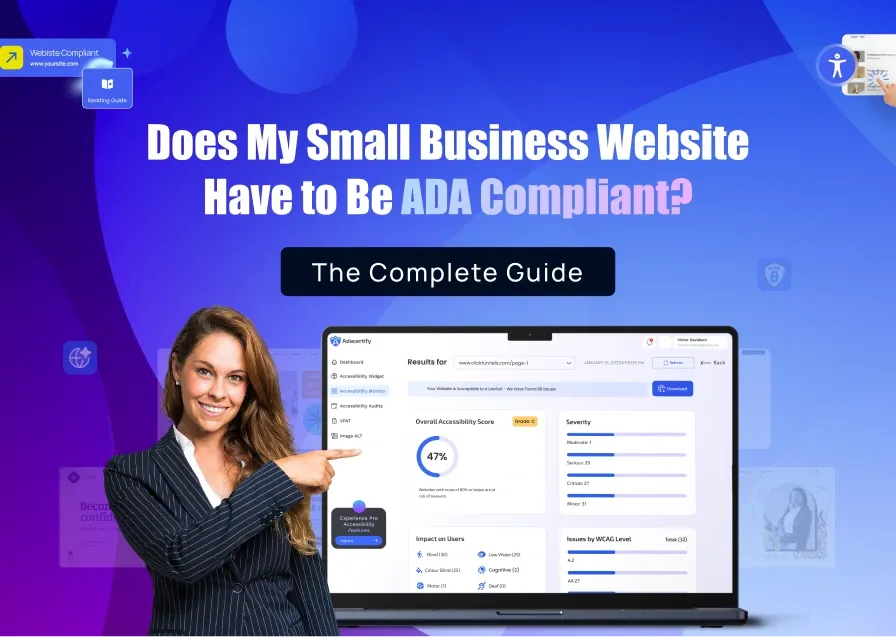
ADAcertify was built specifically for small and mid-size businesses that need full ADA compliance without enterprise pricing.
The widget installs in one line of code or a simple plugin and loads asynchronously so your site speed is not affected. Behind the widget, the AI scanner audits your entire site. Certified accessibility specialists review what the AI finds and give you a clear remediation report. PDF remediation is delivered in 48 hours. VPAT generation is one click from your dashboard. And if a demand letter arrives, the litigation support team steps in.
That is the full compliance stack, not just a widget. The pricing is transparent, based on your plan, not on how many pages Google has crawled on your domain.
What small businesses specifically love about ADAcertify:
- No traffic-based pricing surprises (you pay for your plan, not for Google’s crawl count)
- Free trial with no credit card required
- PDF remediation in 48 hours means your menus, brochures, and guides are covered
- VPAT generation is included, so if a school or government client asks for one, it is ready
- Litigation support is there if the worst happens
Works with: WordPress, Shopify, Wix, Squarespace, Webflow, Elementor, WooCommerce, and plain HTML sites.
2. UserWay
Good for: Small businesses that primarily want a widget with monitoring and do not need PDF remediation or litigation support yet.
UserWay is a solid tool with a clean widget and good monitoring. The monthly pricing is transparent, starting around $49/month for smaller sites. It does not have the traffic-based pricing issue that AccessiBe has.
The gap: PDF remediation, VPAT generation, and litigation support are not included in base plans. If you do not have PDFs on your site and your legal exposure is low, UserWay covers the basics. If you want full protection, you will pay more once you add those services.
Pricing: From $49/month.
3. Equally AI
Good for: Very small businesses on an extremely tight budget who want an automated widget and basic monitoring.
Equally AI is newer and more affordable than most options. The widget is well-designed and the scanning is decent. For a small local business with a simple website, low legal exposure, and no PDFs, it is a reasonable starting point.
The platform is less mature than ADAcertify or UserWay in terms of compliance documentation. As they add features, this may become a stronger option. For now, it is better for low-risk situations than for businesses in high-litigation industries.
4. AudioEye
Good for: Small businesses in regulated industries (healthcare, dental, legal, financial services) where the lawsuit risk is higher.
AudioEye provides a widget, managed accessibility with human expert testing, and legal assistance if a claim is filed while you are subscribed. The managed element is useful for businesses where a mistake in accessibility could create significant legal liability.
It is more expensive than ADAcertify or UserWay, typically starting at $49/month for smaller sites and climbing from there. For a dental practice, law firm, or healthcare provider on a small business budget, the extra coverage may be worth it.
5. WP Accessibility (Free, WordPress Only)
Good for: WordPress site owners with a developer on hand who want to fix code-level issues without paying for a commercial product.
WP Accessibility adds real code improvements: ARIA roles, keyboard navigation, skip links, and other technical fixes. It is free and maintained by a respected developer in the accessibility community.
It is not a compliance solution in the legal sense. There is no monitoring, no audit documentation, no VPAT, and no litigation support. Use it as one layer in a larger approach, not as your only accessibility measure.
Total Cost Comparison of the Best AccessiBe Alternatives for Small Businesses.
| Product | Monthly Cost | PDF Remediation | VPAT | Litigation Support | Pricing Model |
| ADAcertify | $37/month | Add-on | Yes (1-click) | Yes | Plan-based |
| AccessiBe | $41+/month | Add-on | Yes, Add-on | Yes | Traffic-based |
| UserWay | $49+/month | Add-on | Yes, Add-on | Yes | Traffic-based |
| AudioEye | $49+/month | Yes | Yes | Yes | Plan-based |
| Equally AI | $45/month | No | No | No | Plan-based |
NOTE: AccessiBe’s traffic-based pricing often makes it more expensive for small businesses than it appears upfront. ADAcertify’s plan-based pricing means you know what you are paying. AudioEye gives you litigation support but at a higher base price. UserWay is middle ground: solid product, but you pay extra for the features that matter most in a legal situation.
The Best AccessiBe Alternatives for Small Businesses Based on Your Business Size and Risk Level
Small local business, simple website, no documents, low-litigation industry: Start with a free trial with ADAcertify, UserWay or Equally AI. Get the widget live, run the scan, and see what your site actually looks like from a compliance perspective. You may be closer to being compliant than you think, or you may find issues that need fixing. Either way, knowing is better than guessing.
Small business with PDFs on site (menus, guides, forms, contracts): ADAcertify but only because PDF remediation within 48 hours is a feature almost no other small-business-priced accessibility tool offers. If your site has documents, you are exposed if they are inaccessible. Get them remediated.
Small business in a high-litigation industry (restaurant, eCommerce, healthcare, legal, hotel): AudioEye if you want a managed service with higher levels of human oversight. These industries are targeted heavily. Do not cut corners.
Shopify store: ADAcertify installs natively on Shopify. Product pages, checkout flows, and image galleries all need accessibility review. The widget covers the user-facing layer, the audit covers the code underneath.
Any small business that has already received a demand letter: Stop reading comparisons and act. Run your free scan at ADAcertify, get the audit documentation started, and get an ADA attorney on the phone. Every day you wait makes your legal position worse.
Start your free ADAcertify scan here. No credit card, no commitment. Just your actual compliance status in minutes.