Finding reliable AccessiBe alternatives for WordPress has become a priority for many website owners over the past year. More businesses are realizing that installing a simple accessibility widget is not the same as building a truly accessible and legally defensible website.
After researching accessibility platforms, reviewing legal developments, comparing real customer experiences, and analyzing what modern WordPress sites actually need for WCAG compliance, one thing becomes clear: most accessibility tools are designed to solve only part of the problem.
Some focus heavily on overlays and widgets. Others provide deeper code-level remediation, PDF accessibility, audit documentation, and ongoing compliance support. The difference matters more in 2026 than it did a few years ago, especially as accessibility expectations continue to evolve for WordPress businesses of every size.
In this guide, I will break down the best AccessiBe alternatives for WordPress based on pricing, compliance coverage, ease of use, legal support, and overall value, so you can choose a solution that fits your site without overpaying or relying on incomplete protection.
Why WordPress Users Are Searching for AccessiBe Alternatives
WordPress site owners have been increasingly rethinking their accessibility setup, especially when it comes to widget-only solutions. A big part of this shift comes down to how these tools behave inside real WordPress environments, which are often more complex than they first appear.
How the Widget Fits Into WordPress Sites
AccessiBe works by adding a JavaScript widget to your WordPress site. In practice, this can sometimes interact unpredictably with other common plugins and page builders like Elementor, Divi, or Beaver Builder.
Because these tools already rely heavily on JavaScript to render layouts, adding another layer on top can occasionally create inconsistencies in how content is displayed or interpreted by assistive technologies.
Pricing That Doesn’t Always Match Usage
Another concern for WordPress users is how pricing is calculated. AccessiBe uses the number of pages Google has indexed on your domain, rather than the number of pages where the widget is actively used.
So even if your WordPress setup feels small from a management point of view, a large number of indexed posts or pages can push you into higher pricing tiers. This is something some users have noted in reviews when comparing costs to their actual site size.
Limitations of Front-End Only Fixes
It’s also important to understand what a widget can and cannot do. WordPress accessibility issues often come from the theme, plugins, or content itself — things like missing alt text, improper heading structure, or poorly built forms.
These are code-level issues, and they cannot always be fully corrected from the front end. That’s why many accessibility experts recommend combining widgets with deeper site audits and backend improvements.
What Changed After Recent Legal Attention
In recent years, accessibility compliance has been more closely examined in court cases and regulatory actions. One consistent theme is that having an overlay alone may not be enough to demonstrate full compliance if underlying issues remain unresolved.
For WordPress site owners, this is especially relevant because the platform is widely used, which also makes it a common target for automated accessibility scans and legal claims.
As a result, many businesses are now looking for solutions that go beyond a widget and provide more complete accessibility coverage across their WordPress sites.
What to Look for in a WordPress Accessibility Solution
Plugin compatibility matters more than features on paper
A WordPress accessibility solution has to play nicely with your theme and plugins. Before committing to anything, check that it works with your page builder, your contact form plugin, and your eCommerce setup if you are running WooCommerce.
You need more than a widget
A widget adjusts what the visitor sees. It does not fix what is underneath. Look for a solution that includes:
- An accessibility audit that identifies code-level issues specific to your WordPress build
- PDF remediation if you have documents on your site (menus, guides, service sheets)
- Real-time monitoring so new issues introduced by plugin updates get caught fast
- Legal documentation you can show if a demand letter arrives (audit report, VPAT, accessibility statement)
Async loading is non-negotiable
Any accessibility tool you install on WordPress should load asynchronously, meaning it loads after your main page content and does not slow your Core Web Vitals. A slow-loading accessibility plugin is an SEO problem on top of a compliance problem. Check this before you install anything.
The Two Types of WordPress Accessibility Plugins
Before comparing specific tools, it helps to understand the two categories of WordPress accessibility plugins, because they do very different things.
Accessibility overlays add a floating widget button to your site. Visitors can click it to adjust font size, contrast, spacing, and other display settings. This helps users who need those adjustments, but it does not fix the underlying code.
Accessibility enhancers and scanners work either at the code level (adding ARIA roles, fixing keyboard navigation, improving semantic HTML) or by scanning your site and flagging issues for you to fix. These are more technically meaningful than overlays, but they require more setup and ongoing maintenance.
The best WordPress compliance setup uses both layers: an overlay for immediate user-facing accessibility plus an audit and monitoring tool that addresses code-level issues over time.
The Best AccessiBe Alternatives for WordPress
ADAcertify
This is a full compliance stack, not just a plugin
ADAcertify is one of the strongest AccessiBe alternatives for WordPress site owners who need genuine legal protection rather than a widget that looks good in a settings panel.
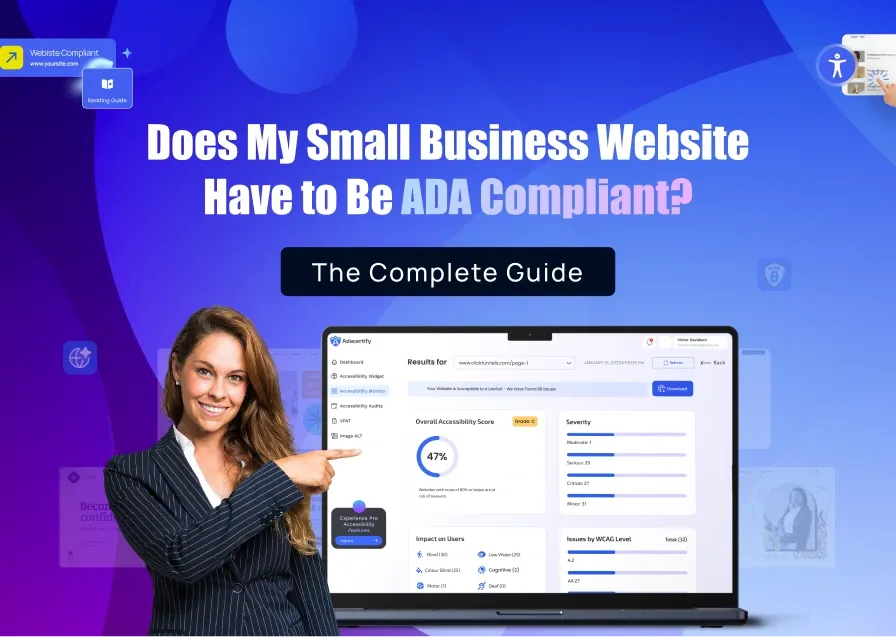
Install takes one line of code or a simple WordPress plugin drop-in. The widget loads asynchronously so it does not touch your page speed. Once installed, the AI scanner audits your entire WordPress site including content pages, WooCommerce product pages, blog posts, and custom post types.
What you Get with ADAcertify:
Code-Level Audit: ADAcertify’s certified accessibility specialists review your WordPress site and identify issues the AI scanner cannot fix on its own. This includes keyboard navigation problems, broken reading order, inaccessible custom components, and form labeling errors. These are the issues courts look at.
PDF Remediation Within Hours Depending on Complexity: If your WordPress site has menus, brochures, guides, or downloadable documents, those carry the same legal risk as your web pages. ADAcertify remediates them and delivers accessible versions within 48 hours at least.
VPAT Generation in One Click: If a government client, university, or enterprise buyer asks for a VPAT, you generate it directly from your ADAcertify dashboard without hiring a separate consultant.
Litigation support: If a demand letter arrives, ADAcertify offers support to help you navigate this.
Works with: WordPress, Elementor, WooCommerce, Divi, Beaver Builder, Gutenberg, and all major WordPress themes.
Pricing: Starts at $37/month.
UserWay
Best for: WordPress site owners looking for a reliable accessibility overlay with built-in monitoring and an easy setup at an accessible entry price.
UserWay is one of the most widely used accessibility plugins in the WordPress ecosystem. Its widget is simple to install, well-designed, and provides common accessibility adjustments such as text resizing, contrast controls, keyboard navigation enhancements, and screen reader support features. It also includes real-time monitoring tools that help site owners identify accessibility issues as their site changes over time.
Compared to more comprehensive compliance platforms, UserWay is more focused on the front-end experience and ongoing monitoring. It provides a strong baseline for improving usability and visibility of accessibility features on a WordPress site.
For businesses that need additional layers such as PDF remediation, VPAT documentation, or more advanced legal support, these services are typically available through higher-tier plans or add-ons rather than the core package. This makes UserWay a flexible option depending on how deep your compliance requirements go.
Pricing: Starts at around $49/month, with optional upgrades for advanced accessibility and compliance services.
AudioEye
Best for: Larger WordPress sites in regulated industries (healthcare, education, financial services) that need managed accessibility with human expert testing.
AudioEye provides both a widget and a managed accessibility program where human testers validate what automated tools find. They also offer legal assistance if a claim is filed while you are subscribed.
AudioEye is more expensive than AccessiBe or ADAcertify and targets organizations with dedicated compliance teams. For a small or mid-size WordPress site, the price may be more than you need. For a hospital, university, or financial services firm on WordPress, it is a strong option.
Pricing: Typically $49 to $199/month for smaller sites, with enterprise pricing for larger organizations.
WP Accessibility (Free Plugin)
Best for: WordPress developers who want to fix code-level issues manually and do not need a commercial compliance solution.
WP Accessibility is a free WordPress plugin that adds real code-level improvements to your site: ARIA roles, keyboard navigation fixes, skip links, and more. It is maintained by Joe Dolson, one of the most respected accessibility developers in the WordPress community.
It does not include a user-facing overlay, monitoring, audit documentation, or legal support. It is a developer tool. If you have a developer on staff and want to handle accessibility manually, it is a good starting point. If you need a compliance solution with legal documentation, it is not the right fit.
Pricing: Free.
Equally AI
Best for: WordPress sites that want an automated widget with a modern interface and affordable entry pricing.
Equally AI is a newer entrant in the accessibility widget market. The widget is well-designed and the dashboard is clean. They offer automated WCAG scanning alongside the overlay.
The platform is less mature than AccessiBe, UserWay, or ADAcertify in terms of compliance documentation and litigation-adjacent features. Worth watching as they develop, but not the strongest choice if legal protection is your primary concern right now.
Which of These Platforms is the Best AccessiBe Alternatives for WordPress?
If you are a small business owner on WordPress and want full legal protection without enterprise pricing: ADAcertify. You get the widget, audit, PDF remediation, VPAT, and litigation support in one plan, without AccessiBe’s traffic-based pricing surprises.
If you run a WooCommerce store: ADAcertify or AudioEye. eCommerce sites are among the most frequently targeted in ADA litigation. You need more than a widget.
If you are an agency managing multiple WordPress client sites: ADAcertify’s agency tools let you manage compliance across client accounts with white-label reporting. A single dashboard for all your client sites is worth it at scale.
If you have a developer available and a limited budget: Start with WP Accessibility for code-level fixes and add ADAcertify’s widget and monitoring on top. That combination covers both layers without paying for features you are not ready to use yet.
If you are in a regulated industry (healthcare, education, finance) on WordPress: AudioEye or ADAcertify with expert audit. Automated tools are not enough for regulated sectors.
The bottom line: the right AccessiBe alternative for your WordPress site is whichever one covers the full stack, widget, code-level fixes, documentation, and legal backup. A widget alone is not a compliance strategy. It did not hold up for AccessiBe’s customers, and it will not hold up for yours.
Run a free accessibility scan on your WordPress site at ADAcertify.