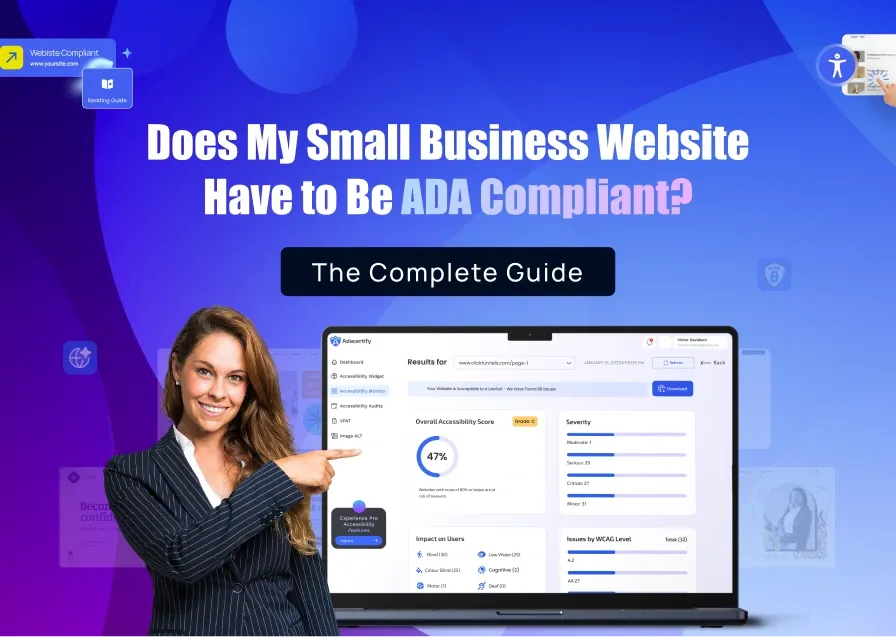
This is everything you need to know about Shopify ADA compliance before you set up your store, choose a great theme, upload your products, and start selling. Here’s why. Imagine one day, out of nowhere, a letter arrives from a law firm saying your website is inaccessible to people with disabilities and they’re prepared to sue you unless you settle them with money.
As unbelievable as that sounds, thousands of Shopify store owners encounter this risk every single year.
Why? Because most Shopify merchants don’t realize that Shopify does not automatically make your store ADA compliant. The platform gives you great tools to build a store, but it is 100% your responsibility to make sure that store is accessible to customers with disabilities, and legally, there are real consequences if it’s not.
In this guide, I’ll explain exactly what Shopify ADA compliance means, what Shopify handles and what it doesn’t, the most common mistakes that get store owners sued, and the quickest way to protect your store starting today.
If you want to understand ADA compliance across all website platforms including WordPress and Squarespace, read our full guide here.
What Does ADA Compliance Mean for a Shopify Store?
ADA stands for the Americans with Disabilities Act. It is a law passed in 1990 to make sure people with disabilities get equal access to businesses and their services necessary for their everyday use. Originally, this meant things like wheelchair ramps and accessible restrooms. Today, courts have extended it to include websites and online stores.
If your Shopify store sells products or services to the public, it is legally considered a “place of public accommodation” under ADA Title III. That means people with disabilities like those who are blind, deaf, have limited mobility, or have cognitive disabilities etc must be able to use your store just like any other customer.
The technical standard courts use to measure this is called WCAG (Web Content Accessibility Guidelines). Basically, WCAG serves as a guideline for making websites accessible. It covers everything from how images are described to how forms work to how your site responds to a keyboard instead of a mouse.
If your Shopify store fails to meet these standards, you can be sued and Shopify cannot be held responsible. That liability falls entirely on you as the store owner.
Does Shopify Handle ADA Compliance for My Store?
This is the question every Shopify merchant eventually asks. Shopify does handle it partly, but not nearly enough to protect you legally.
Shopify has made genuine improvements to accessibility in recent years. Its flagship free theme, Dawn, is built with cleaner HTML code that makes it easier for screen readers to navigate. The platform also provides skip-to-content links (which help keyboard users jump past navigation menus) and gives you alt text fields for product images so you can add descriptions.
That is a good starting point but that does not spare you from compliance lawsuits.
Here is what Shopify does NOT do for you:
✨ It Does Not Write Alt Text For Your Images. You have to do that yourself for every single product photo you upload on your store.
✨ It Does Not Check Whether Your Chosen Theme Meets WCAG Standards. Most themes in the Shopify theme store have never been tested for accessibility.
✨ It Does Not Audit The Apps You Install. Every third-party app you add such as live chat, pop-ups, review widgets, countdown timers etc. brings its own code that Shopify does not review for accessibility. That responsibility falls on you.
✨ It Does Not Caption Your Videos. Product demo videos, brand story reels, and how-to clips are not automatically captioned Shopify.
✨ It Does Not Monitor Your Store as You Grow. Every time you add a new product, install a new app, or change your theme, new accessibility issues can appear. Shopify does not track any of this for you.
In short, Shopify hands you the building. What’s inside that building and whether it is accessible, is entirely up to you.
Not sure where your store stands right now? ADAcertify scans your Shopify store in under 60 seconds and shows you exactly what needs to be fixed. Try it free here.
Why Are Shopify Stores Targeted So Often in ADA Lawsuits?

Shopify stores represent one of the most targeted categories in all ADA website lawsuits. In 2025, e-commerce websites accounted for 77% of all digital accessibility lawsuits filed, and Shopify accounted for roughly 32% of all platform-specific cases tracked.
So why are Shopify merchants targeted so heavily?
There are three main reasons:
1. Volume of Product Images Without Alt Text. A store with 200 products and 4 images each has 800 potential accessibility violations. Each missing alt text description is a separate, documented WCAG failure that an attorney can list in a complaint. Plaintiff law firms use automated scanning tools that can identify this in seconds.
2. Third-party Apps Break Accessibility. The average Shopify store uses 6–10 third-party apps. Every one of those apps injects its own code into your store. Shopify does not review that code for accessibility before approving apps, which means a single spin-to-win popup or loyalty rewards widget can introduce keyboard traps that make your entire store inaccessible to users who can’t use a mouse.
3. Shopify Stores Are Easy to Identify And Scan at Scale. Plaintiff attorneys know that Shopify stores share recognizable URL patterns and code structures. Automated scanning tools can sweep through thousands of Shopify stores per day, flagging violations and generating complaint templates in bulk. E-commerce sites with clear transactions are the easiest to argue discrimination against disabled users — because the barrier to making a purchase is direct and provable.
The average settlement for a first-time ADA e-commerce case ranges from $5,000 to $25,000. Add attorney fees on both sides and remediation costs, and a single case can cost a small store owner $50,000 or more in total.
The 6 Most Common ADA Violations on Shopify Stores
These are the violations that appear most often in ADA complaints against Shopify store owners. Check your store against each one:
1. Missing Alt Text on Product Images
Alt text is a written description of an image that screen readers read aloud to blind users. Without it, a blind customer visiting your store hears nothing when they land on a product page — no description, no price context, no way to understand what you’re selling. Missing alt text is cited in 89% of all ADA website complaints. If you have ever uploaded a product image without filling in the alt text field, you have this violation.
2. Insufficient Color Contrast
Your text needs to stand out clearly from your background. WCAG requires a contrast ratio of at least 4.5:1 for normal text. Many popular Shopify themes use light gray text on white backgrounds or pale text on colorful banners — both common contrast failures. Users with low vision or color blindness cannot read text that doesn’t meet this standard.
3. Inaccessible Checkout Forms
Your checkout is the most legally sensitive page on your store. If a blind customer using a screen reader cannot complete a purchase because form fields are unlabeled, error messages are unclear, or buttons cannot be activated by keyboard, that is a documented barrier to a commercial transaction. This is exactly the scenario courts and plaintiff attorneys focus on.
4. Videos Without Captions
If your store has product videos, brand videos, or tutorial content without closed captions, deaf and hard-of-hearing customers cannot access that content. WCAG requires accurate captions on all pre-recorded video. Shopify does not caption videos automatically on any plan.
5. Keyboard Navigation Failures From Apps
Can every part of your store be used without a mouse? For users with motor disabilities who navigate by keyboard alone, any element that creates a “keyboard trap” — where pressing Tab gets stuck in a loop with no way out — makes the entire page unusable. Third-party apps like chat widgets, popups, and product carousels are the most common source of this problem.
6. Inaccessible Theme Navigation Menus
Many Shopify themes use navigation menus built with custom JavaScript that looks great visually but breaks screen reader and keyboard navigation. If your site’s menu cannot be reached and operated by keyboard, users who rely on assistive technology cannot navigate past your header.
ADAcertify’s AI automatically generates descriptive alt text for all your product images and flags color contrast failures, keyboard navigation issues, and form problems, giving you a clear fix list without needing a developer. Start your free scan here.
How to Make Your Shopify Store ADA Compliant: A Simple Step-by-Step Guide
Making your Shopify store ADA compliant does not require a developer or a complete rebuild. Here is a practical path forward:
Step 1: Scan Your Store First
Before you change anything, find out what is actually broken. Run an accessibility scan on your store’s most important pages like your homepage, a product page, your collections page, and your checkout. This gives you a prioritized list of what to fix rather than guessing.
Step 2: Fix Your Alt Text
Go through every product in your Shopify admin, click each image, and add a descriptive alt text description. Be specific when doing this: “Red leather handbag with gold buckle clasp” is far more useful than “handbag.” If you have hundreds or thousands of products, ADAcertify’s AI handles this automatically for you, generating accurate, WCAG-compliant alt text across your entire catalog in one pass.
Step 3: Check Your Theme’s Color Contrast
Use a free contrast checker tool to test your most important text and background color combinations. If your text fails the 4.5:1 ratio, adjust your theme colors. Most Shopify themes allow you to change colors in the theme editor without touching code.
Step 4: Test Your Checkout With a Keyboard Only
Close your mouse and try to complete a purchase on your own store using only the Tab, Enter, and Arrow keys on your keyboard. Can you reach every field? Can you select a shipping method? Can you press the “Complete Order” button? If you get stuck anywhere, you have found a keyboard navigation failure.
Step 5: Caption All Your Videos
For any video on your store, add closed captions. YouTube auto-generates captions that you can edit for accuracy. If videos are hosted directly on Shopify, use a captioning tool or upload an SRT caption file.
Step 6: Audit Your Apps
Review every app currently installed on your store. For any app that adds visible elements to your store — popups, chat widgets, reviews, sliders — check whether those elements are keyboard navigable and work with a screen reader. Remove or replace any apps that cannot be made accessible.
Step 7: Monitor Continuously
This is the step most store owners skip and it is the one that leads to being sued a second time. Every product upload, every app update, every theme change can introduce new violations. Set up ongoing monitoring so you know about new issues before a plaintiff’s attorney does.
ADAcertify handles Steps 1, 2, and 7 automatically — scanning your store, generating alt text across your catalog, and monitoring for new violations as your store grows. Setup takes under 60 seconds. No developer needed.
CONCLUSION
Shopify ADA compliance is not a one-time task; it is an ongoing responsibility that starts the moment you add your first product and continues every time your store changes.
The good news is that most of the violations that get Shopify store owners sued are fixable. Missing alt text, contrast failures, inaccessible forms etc. These are solvable problems. The challenge is knowing they exist before a demand letter tells you.
The simplest way to find out where your Shopify store stands? Scan it. ADAcertify gives you a free accessibility report in under 60 seconds, automatically generates alt text for your product images, monitors your store for new violations as you grow, and gives you compliance documentation you can use if you ever need to demonstrate good faith.
Shopify ADA Compliance FAQs
Does Shopify make my store ADA compliant automatically?
No. Shopify provides some accessible features in its core platform — like skip-to-content links and alt text fields — but filling in those fields, choosing an accessible theme, and ensuring your apps are accessible is entirely your responsibility. Shopify cannot and does not guarantee ADA compliance for stores built on its platform.
Do I need to be ADA compliant if I only sell online and have no physical store?
Yes. Courts have consistently ruled that online-only businesses are covered by ADA Title III if they serve the public. Having no physical location is not an exemption. Online-only Shopify stores have been successfully sued for ADA violations.
Which Shopify themes are the most ADA accessible?
Shopify’s free Dawn theme is currently the most accessibility-friendly option because it is built with clean semantic HTML. However, no Shopify theme — free or paid — guarantees full WCAG 2.1 AA compliance. Every theme requires additional work, and any customization you make can introduce new accessibility issues.
Will adding an accessibility widget to my Shopify store protect me from lawsuits?
Not on its own. In 2024, 25% of all ADA website lawsuits targeted stores that already had accessibility overlay widgets installed. An accessibility widget adds a toolbar to your site that users can adjust, but it does not fix the underlying accessibility problems in your theme code and apps. In January 2025, the FTC fined a major overlay provider $1 million for falsely claiming their widget provided guaranteed ADA compliance.
How much does it cost to make a Shopify store ADA compliant?
It varies significantly depending on your store’s size and the number of issues. Basic compliance work — fixing alt text, color contrast, and form labels — can often be done in a few hours with the right tools. A full manual audit by an accessibility specialist typically costs $2,000–$10,000. Ongoing monitoring solutions like ADAcertify start at $397/year — far less than the $5,000–$25,000 average cost of settling a demand letter.
Can Shopify apps cause ADA compliance problems?
Yes — and this is one of the biggest risks for Shopify merchants. Every app you install injects its own code into your store. Shopify does not review apps for WCAG compliance before approving them. A single poorly-coded popup, review carousel, or live chat widget can introduce keyboard traps and screen reader failures that make your entire store non-compliant.
What is the fastest way to check if my Shopify store has ADA violations?
Run a free accessibility scan on https://getadacertify.com. Enter your store URL and you’ll get a report identifying your specific violations — missing alt text, contrast failures, form label problems, and more — within 60 seconds. From there, you can start fixing the highest-risk issues first.
Does making my Shopify store ADA compliant help with SEO?
Yes, significantly. Many WCAG accessibility requirements directly improve how Google reads and ranks your store. Alt text on product images helps Google Image Search. Proper heading structure helps Google understand your page hierarchy. Descriptive link text improves crawlability. Fast, clean, keyboard-navigable code improves Core Web Vitals. Accessible stores typically rank higher and convert better than inaccessible ones.
Is there a tax credit for making my Shopify store ADA compliant?
Qualifying small businesses can claim up to $5,000 per year in federal tax credits through the IRS Disabled Access Credit (Form 8826) for accessibility improvements, including website work. To qualify, your business must have had gross receipts of $1 million or less, or 30 or fewer full-time employees in the prior tax year. Check with your accountant to see if your store qualifies.
Can I be sued for ADA violations on my Shopify store even if I didn’t know about them?
Yes. The ADA does not require intent or knowledge of the violation — only that the barrier exists. “I didn’t know” is not a legal defense. Plaintiff attorneys use automated scanning tools to identify violations without ever visiting your store as a real customer. This is why proactive compliance matters far more than reactive response.
Related reading: Are Shopify, WordPress, and Squarespace Websites Automatically ADA Compliant?
*This post is for informational purposes only and does not constitute legal advice. Consult a qualified attorney for advice specific to your situation.*