You chose Shopify because it was fast, WordPress because it was flexible, or Squarespace because it looked beautiful straight out of the box, right? You pressed publish, your site went live, and you moved on to running your business. Somewhere in the back of your mind, you assumed the platform handled the technical stuff — including making sure your site was accessible to everyone.
So, here is the million dollar question:
Are Shopify, WordPress, and Squarespace websites ADA compliant automatically? The answer is NO. Yet, that assumption is held by millions of small business owners. Unfortunately, this is exactly what plaintiff attorneys in ADA lawsuits are counting on.
In this guide, you will learn precisely what each major website platform does and does not do for your accessibility compliance, which WCAG requirements you are almost certainly missing right now, why your chosen platform is legally irrelevant when a demand letter shows up in your inbox, and the fastest, most cost-effective way to close those gaps before someone else closes them for you.
Whether you run a Shopify store, a WordPress business site, or a Squarespace portfolio, this guide is written for you.
What Does “ADA Compliant Website” Actually Mean for a Small Business?
Before we get platform-specific, it helps to understand what you are actually being measured against.
ADA compliance for websites means your site must be accessible to people with disabilities – including those who are blind or have low vision, those who are deaf or hard of hearing, people with motor impairments who navigate websites using a keyboard rather than mouse, and users with cognitive disabilities. Courts and the Department of Justice have consistently applied Title III of the Americans with Disabilities Act to business websites, treating them as digital “places of public accommodation.”
The technical measuring stick courts and regulators use is the Web Content Accessibility Guidelines (WCAG) 2.1, Level AA. This is a set of 50 specific success criteria covering everything from image descriptions to color contrast to keyboard navigation. Failing to meet even a handful of these criteria is enough to land you a demand letter or a federal lawsuit.
Here is what this means in practice. Your platform choice — Shopify, WordPress, Squarespace, Wix, or anything else — is not a defense. Judges do not care which website builder you used. They care whether a blind person using a screen reader could complete a purchase on your site, or whether a keyboard-only user could fill out your contact form. That is the standard. And right now, most websites built on the most popular platforms in the world are failing it.

As we’ve already established, Shopify is not automatically ADA compliant. This report shows that Shopify store owners are among the most frequently targeted groups in ADA website lawsuits in 2024 and 2025.
Shopify powers over 4.6 million live websites globally, the vast majority of which are retail and e-commerce businesses – precisely the category of sites that plaintiff attorneys scan first. E-commerce websites accounted for 77% of all digital accessibility lawsuits filed in 2025. If you are selling products on Shopify, you are operating in the highest-risk category.
What Does Shopify Actually Provide for Accessibility on its Platform?
Shopify has made meaningful progress on accessibility in recent years. Its core platform generates reasonably structured HTML, and some of its themes – particularly the Dawn theme – are built with basic accessibility considerations in mind. Shopify also provides accessibility settings in its theme editor, including options for skip-to-content links.

❌Add Descriptive Alt Text to your Product Images.
Shopify provides the alt text field, but filling it in is entirely your responsibility. Missing alt text is cited in 89% of all ADA website complaints. If you have uploaded product photos without alt text, you have a documented violation.
❌Ensure Your Chosen Theme is WCAG 2.1 AA Conformant.
Shopify’s theme store contains thousands of paid and free themes. Most have never been tested against WCAG standards. When you install a third-party theme, you inherit its accessibility failures.
❌Make Your Checkout Process Fully Keyboard Navigable.
Shopify’s default checkout has improved, but custom checkout flows, third-party payment apps, and added plugins can all introduce keyboard navigation failures that lock out motor-impaired users.
❌Caption Your Product Videos.
If you have videos on your Shopify store like demo reels, testimonials, tutorials and whatnot, none of them are automatically captioned and every uncaptioned video is a WCAG violation.
❌Keep Your Site Compliant as You Add Content.
Every new product page you publish, every image you upload without alt text, every form you add through a third-party app – these all introduce new potential ADA violations. Shopify does not monitor these for you.
A Shopify merchant doing $2 million per year in revenue is a viable target for a $5,000 – $25,000 demand letter settlement. Plaintiff attorneys use automated scanning tools that can audit thousands of Shopify stores in hours. The theme you chose, the apps you installed, and the product images you uploaded without alt text are all visible to these scanners.
The good news is that Shopify’s architecture is actually well-suited to third-party accessibility solutions. A great solution like ADAcertify installs on your Shopify store in under 60 seconds. How? You simply paste a single line of code into your theme’s header, and its hybrid AI engine immediately begins scanning, remediating alt text, flagging contrast failures, and monitoring your store for new violations as you add content. No developer is required here.
WordPress powers over 43% of all websites on the internet, which also makes it the platform most frequently encountered in ADA accessibility lawsuits. Is a WordPress website ADA compliant out of the box? The answer is nuanced, and importantly, it is no.
WordPress as a core platform genuinely cares about accessibility. The WordPress Accessibility Team actively works to bring the admin interface and core bundled themes toward WCAG 2.0 AA compliance. WordPress’s “accessibility-ready” theme tag signals themes that have passed a basic accessibility review. In that sense, WordPress gives you a better starting foundation than most platforms.
But here is the critical distinction that most posts about WordPress accessibility fail to make clear:
Your website is not just WordPress core. It is WordPress core plus your theme, plus every plugin you have installed, plus every page of content you have created, plus every image you have uploaded.
Each of those layers introduces its own accessibility variables, and WordPress does nothing to govern any of them.
Where WordPress Websites Routinely Fail WCAG Standards:
1. Third-party themes:
WordPress openly acknowledges it cannot guarantee that paid themes are accessible, even those labeled “accessibility-ready.” According to independent testing, many themes marketed as accessible still fail basic WCAG requirements for color contrast, heading structure, and focus indicators.
2. Plugins:
WordPress has over 59,000 plugins in its repository. The vast majority have never been tested for WCAG conformance. A single inaccessible plugin – a popup, a slider, a contact form, a social media widget – can introduce violations across your entire site.
3. The Gutenberg Editor and Content Creation:
Even if your theme is accessible, the content you create matters. Images without alt text, heading levels used for visual styling rather than structure (jumping from H1 to H4), links labeled “click here” instead of descriptive anchor text, tables without headers etc. These are all content-level violations that WordPress cannot prevent you from making.
4.WooCommerce Stores:
If you are running WooCommerce on WordPress, your legal exposure is identical to a Shopify store owner. Your checkout process, product forms, and payment flows must all be keyboard-navigable and screen-reader compatible.
5. PDF Documents:
If your WordPress site links to PDFs – menus, brochures, price lists, guides – those documents must also be accessible. WordPress has no mechanism to check or remediate uploaded PDFs.
The Plugin Myth: Many WordPress site owners install a single “accessibility plugin” and consider the job done. This is one of the most dangerous misconceptions in this space. According to accessibility auditors, automated scanning tools – including accessibility plugins – can detect only around 30% of WCAG issues. The remaining 70% require human judgment and code-level review that no single plugin delivers.
In January 2025, the FTC fined accessiBe $1 million for falsely marketing its overlay widget as a guaranteed compliance solution. The lesson for WordPress users is clear: any tool promising full compliance through a single install without hybrid human review is overstating what automation can do.
ADAcertify approaches this differently. Its hybrid remediation engine combines AI-driven automated scanning – which installs in 60 seconds and immediately addresses the most common violations – with code-level expert review for the issues that automation cannot resolve. For WordPress users, this means you get broad protection immediately while working toward comprehensive compliance, rather than the false security of a widget claiming to solve everything at once.
Squarespace is perhaps the most commonly misunderstood platform when it comes to ADA compliance. Its templates are polished and visually cohesive, leading many users to assume that the platform’s attention to design extends to accessibility. Unfortunately, it does not – at least not fully.
The platform itself has explained this in plain language on its own support page: “Squarespace can’t provide advice about making your site compliant with any specific accessibility laws, regulations, or standards.”
That is an acknowledgment that using Squarespace does not make your website accessible.
What Squarespace Does Provide:
Squarespace does include several features that form a reasonable accessibility foundation. These include skip-to-content links, keyboard focus outlines, semantic HTML structure for headings and landmarks, alt text fields for images, and some color contrast controls. These are genuine positives – Squarespace is not starting from zero.
But “reasonable foundation” and “legally defensible compliance” are two very different things.
Where Squarespace websites consistently fail:
Form Accessibility: Squarespace’s form modules frequently generate inputs that are missing properly associated labels. This means a screen reader user attempting to fill out your contact form, booking form, or lead capture may encounter unlabeled fields. Missing form labels are cited in 48% of ADA website complaints.
Template Variability: Not all Squarespace templates are built equally from an accessibility standpoint. The template you chose when you set up your site may have color contrast ratios that fail the WCAG 4.5:1 minimum for normal text, or navigation menus that cannot be fully operated by keyboard alone.
Animated Elements: Squarespace makes it easy to add animated backgrounds, scrolling text effects, and parallax images. If any element on your site flashes more than three times per second, it is a seizure risk and a WCAG 2.3.1 violation. Squarespace does not warn you when you add animations that cross this threshold.
Video Content: Squarespace’s video blocks do not auto-caption. Every video you embed – whether hosted on Squarespace or embedded from YouTube or Vimeo – must have accurate closed captions to meet WCAG.
Third-party Blocks and Extensions: Like other platforms, Squarespace allows third-party integrations. Any accessibility issues within those integrations are your legal responsibility, not the platform’s.
The Template Trap: One of the most specific risks for Squarespace users is that the platform’s entire value proposition is visual design. Beautiful templates encourage decisions that harm accessibility, like low-contrast text on moody dark backgrounds, decorative images without alt text, condensed navigation menus that are impossible to navigate without a mouse. The aesthetic features that make Squarespace attractive are often at odds with the technical requirements of WCAG compliance.
ADAcertify works with Squarespace through a simple one-line code injection into your site’s footer, available on Squarespace’s Business and Commerce plans. Once installed, it takes less than 60 seconds to deploy and immediately begins addressing the most common violations: generating alt text for images, flagging contrast failures, enabling keyboard navigation support, and monitoring your site as you update content and swap templates.
Does My Platform Choice Affect My Legal Risk?
This is one of the most important, and most misunderstood questions in the ADA compliance space. The answer is yes, your platform affects your practical risk in some ways, but no, it does not affect your legal responsibility.
I’ll explain.
From a legal standpoint, the ADA applies to your business, not your website builder. If your site creates barriers for people with disabilities, you are liable regardless of whether the barrier originates from Squarespace’s template engine, a WordPress plugin written by a third-party developer, or a Shopify app that generates an inaccessible checkout step. The platform cannot be sued. You can.
From a practical risk standpoint, your platform does affect things:
✨ Shopify users face higher raw lawsuit risk simply because e-commerce sites are the #1 target category (77% of digital accessibility cases). The more revenue your store generates, the more attractive a settlement target you become.
✨ WordPress users face higher complexity risk because the plugin ecosystem is vast and largely unaudited for accessibility. More moving parts mean more potential failure points, and more difficulty demonstrating comprehensive compliance.
✨ Squarespace users face higher design-vs-compliance tension risk because the platform’s template system encourages aesthetic choices that frequently conflict with WCAG requirements.
None of these risks nullifies the others. A beautiful Squarespace restaurant site with an inaccessible reservation form is just as lawsuit-eligible as an ugly Shopify store with missing product alt text.
What all three platforms have in common:
- None of them monitor your site for accessibility risks as you add content
- None of them generate compliant alt text for your images automatically (or accurately)
- None of them guarantee that the third-party apps or plugins you install are accessible
- None of them provide documented compliance reports you could use in a legal defense
- None of them will defend you if you receive a demand letter
The Most Common ADA Violations Found on Shopify, WordPress, and Squarespace Sites
Across all three platforms, the same violations appear most frequently in ADA website complaints. These are the issues plaintiff attorneys scan for first, and they are all fixable:
1. Missing or Inaccurate Alt Text on Images
This is cited in 89% of ADA complaints. Every product photo, decorative image, icon, and button that conveys meaning must have a descriptive text alternative. This applies on every platform with equal force.
2. Insufficient Color Contrast
79% of websites fail the WCAG minimum of 4.5:1 contrast ratio for normal text. This is one of the most common template-level failures on Squarespace, where aesthetic color choices frequently fail accessibility standards.
3. Inaccessible Forms
Form fields without proper labels affect 48% of sites. Contact forms, booking forms, newsletter signups, and checkout fields that a screen reader cannot interpret are a direct violation. This is particularly prevalent on Squarespace form modules and WooCommerce checkout pages.
4. Videos Without Closed Captions
WCAG requires accurate captions on all pre-recorded video content. None of the three platforms caption your videos automatically.
5. Keyboard Navigation Failures
Users who cannot use a mouse must be able to reach and activate every element on your site using the keyboard alone. Third-party plugins and apps are frequent culprits of breaking keyboard navigation flows, particularly on WordPress.
6. Missing Skip Navigation Links
Skip links allow keyboard and screen reader users to bypass repetitive navigation menus and jump directly to page content. Without them, every page requires navigating through your entire menu before reaching the content. This is an accessibility barrier that affects every page of your site.
7. Inaccessible PDFs
Any PDF linked from your site – menus, price lists, brochures, downloadable guides – must be tagged correctly for screen reader access. This is a gap on all three platforms with no built-in solution.
Note: This table below is not a criticism of Shopify, WordPress, or Squarespace. All three are excellent platforms that help businesses thrive. It simply reflects where ADA violations most commonly occur due to customization choices made by website owners, because no platform can make compliance decisions on your behalf.
The purpose of this table is to help you understand where to focus your attention so you can protect your business proactively and to empower you to get the most out of the platform you already use and love.
| WCAG Violation | Shopify | WordPress | Squarespace |
| Missing image alt text (Cited in 89% of complaints) | 🔴 Very High – product catalog volume | 🔴 Very High – media-heavy posts | 🔴 Very High – template images often skipped |
| Insufficient color contrast (Affects 79% of sites) | 🟡 Moderate – theme-dependent | 🟡 Moderate – paid themes vary widely | 🔴 Very High – aesthetic-first templates |
| Videos without captions (No platform auto-captions) | 🔴 High – product and brand videos | 🟡 Moderate – blog and tutorial content | 🔴 High – background and promo videos |
| Keyboard navigation failures (Mouse-only elements) | 🔴 Very High – 3rd-party apps inject traps | 🔴 Very High – plugins most common cause | 🟡 Moderate – dropdown menus and sliders |
| Missing skip navigation links (Bypassing repeated nav) | 🟢 Low – Dawn theme includes these | 🟡 Moderate – theme-dependent | 🟢 Low – built into most templates |
| Inaccessible animated content (Seizure and motion risk) | 🟢 Low – limited native animation | 🟡 Moderate – plugin sliders and carousels | 🔴 High – parallax and scroll effects |
| Inaccessible form fields (Cited in 48% of complaints) | 🔴 Very High – checkout is highest risk | 🔴 High – WooCommerce and contact forms | 🔴 Very High – form modules lack labels |
| Inaccessible PDFs (No platform fixes these) | 🟡 Moderate – product docs and invoices | 🔴 High – downloads and resource files | 🟡 Moderate – brochures and menus |
| Broken heading hierarchy (H1→H3 skips, decorative headings) | 🟡 Moderate – theme section headings | 🔴 Very High – Gutenberg visual styling misuse | 🟡 Moderate – section title tags inconsistent |
| Third-party code violations (Unreviewed external code) | 🔴 Very High – App Store not audited | 🔴 Very High – 59,000+ unreviewed plugins | 🟡 Moderate – fewer 3rd-party options |
🔴 Very High / High – frequent lawsuit trigger | 🟡 Moderate – present but less commonly cited | 🟢 Low – platform provides some mitigation
How to Make Your Shopify, WordPress, or Squarespace Website ADA Compliant
Making your website ADA compliant across any of these platforms follows the same core process. The difference is in execution complexity.
Step 1: Run an Accessibility Audit
Before you fix anything, you need to know what is broken. A proper audit goes beyond automated scanning which catches only around 30% of WCAG issues. It also includes expert review of your site’s code, navigation structure, forms, and media content.
ADAcertify’s compliance engine provides a deep audit that identifies both automated and manually detectable violations, giving you a complete picture rather than a partial one.
Step 2: Address the Most Common Violations First
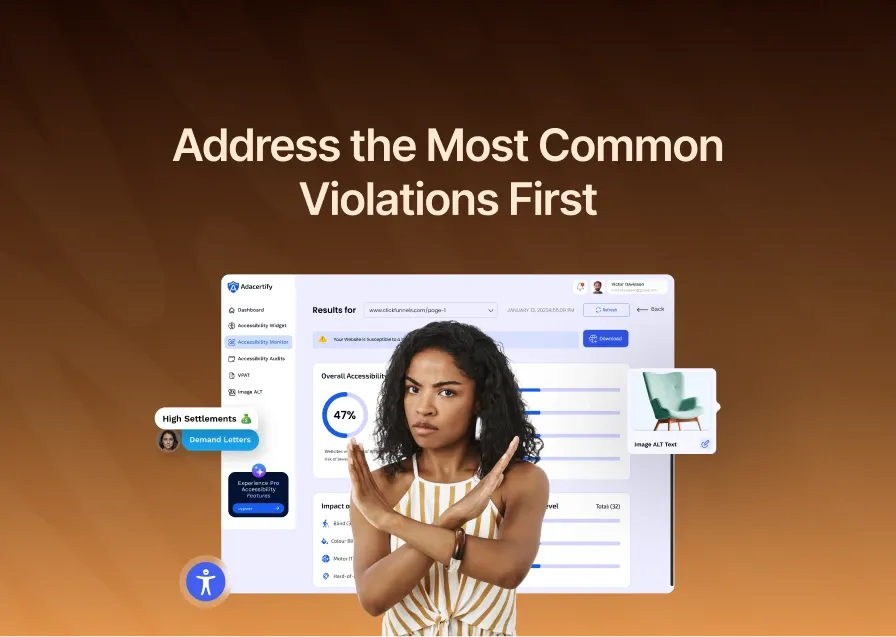
Start with the issues cited most frequently in lawsuits: image alt text, color contrast, form labels, and video captions. These are the fastest to address and the most likely to appear in a demand letter. ADAcertify’s AI automatically generates WCAG-compliant alt text for every image on your site — one of the most time-consuming manual tasks, handled in seconds.
Step 3: Install a Continuous Monitoring Solution
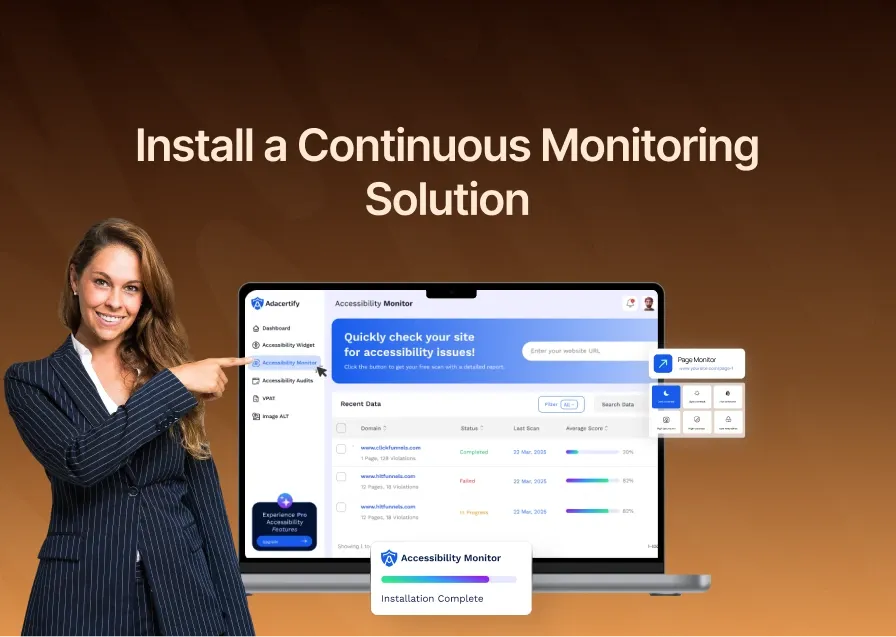
Your website is not static. Every time you add a product, publish a post, update a page, or install a new app, you potentially introduce new accessibility violations. A one-time fix without ongoing monitoring is a recipe for repeat lawsuits, and approximately 18% of businesses that settled an ADA lawsuit in 2024 were sued again in 2025 because they stopped at remediation without adding monitoring.
ADAcertify installs in under 60 seconds across Shopify, WordPress, and Squarespace. Once active, the accessibility monitor continuously scans your site, alerts you to new violations as they appear, and provides one-click compliance reports documenting your accessibility efforts. This documentation can be critical if you ever need to demonstrate good faith in a legal dispute.
Step 4: Publish an Accessibility Statement
An accessibility statement on your website demonstrates good faith and commitment to inclusion. It gives users a way to report barriers they encounter, and it signals to courts and plaintiffs that your business takes compliance seriously. ADAcertify generates a compliance statement for your site automatically.
Step 5: Keep Records
Document your compliance journey – audit dates, issues found, fixes applied, monitoring logs. In an ADA dispute, the ability to show a timeline of proactive, documented compliance efforts can significantly affect legal outcomes.
CONCLUSION
Are Shopify, WordPress, and Squarespace websites ADA compliant automatically? The answer remains No, and none of these platforms claim otherwise when pressed on the question directly. Shopify hands you the store. WordPress hands you the CMS. Squarespace hands you the template. What you do with it – the images, the forms, the videos, the navigation, the content – is your legal responsibility.
The business owners who get sued are not uniquely careless. They are mostly people who made the same reasonable assumption you may have made: that a professional platform would handle the technical compliance details. It does not. That gap is where thousands of demand letters are generated every year.
The business owners who stay protected are the ones who close that gap proactively. They scan their sites, fix the most common violations, install continuous monitoring, and document their compliance efforts. They do not wait for a demand letter to trigger action.
If you are running your business on Shopify, WordPress, or Squarespace, you can start closing that gap right now in under 60 seconds. ADAcertify scans your site, identifies your specific violations, generates compliant alt text for your images, and monitors your site continuously as you grow – all without a single line of custom code beyond the initial installation.
NOTE: This post is for informational purposes only and does not constitute legal advice. Consult a qualified attorney for advice specific to your situation.*
Frequently Asked Questions About ADA Compliance on Shopify, WordPress, and Squarespace
Does Shopify Handle ADA Compliance for my Store?
No. Shopify provides the infrastructure, but every element of compliance – alt text on your product images, accessible themes, captioned videos, keyboard-navigable apps – is the store owner’s responsibility. Shopify explicitly does not guarantee ADA compliance for stores built on its platform, and e-commerce sites are the most frequently targeted category in ADA lawsuits, accounting for 77% of all digital accessibility cases in 2025.
Is WordPress Automatically ADA Compliant if I use an “Accessibility-ready” Theme?
No. An “accessibility-ready” tag in the WordPress theme directory means a theme has passed a basic review. It does not mean the theme is fully WCAG compliant. Moreover, your theme is only one layer of your website. Every plugin you install, every page of content you create, and every image you upload can introduce new accessibility violations that the theme cannot prevent.
Can a WordPress Accessibility Plugin Make My Site Fully ADA Compliant?
No plugin can make your site fully ADA compliant on its own. Automated tools detect approximately 30% of WCAG violations. The remaining 70% require human review – decisions about image intent, content clarity, navigation logic, and structural design that no plugin can make autonomously. A plugin is a useful starting tool, not a complete solution.
Is Squarespace ADA Compliant for Small Businesses?
Squarespace provides some accessibility foundations – skip links, keyboard focus outlines, semantic HTML structure – but these do not make a Squarespace site fully ADA compliant. Squarespace’s own documentation states the platform cannot advise on compliance with specific accessibility laws. Common failures on Squarespace include inaccessible form labels, template color contrast failures, uncaptioned videos, and animated elements that can cause accessibility barriers.
What is the Fastest Way to Make a Shopify, WordPress, or Squarespace Site ADA Compliant?
The fastest path to meaningful, legally defensible compliance combines automated remediation with expert review. ADAcertify deploys in under 60 seconds on all three platforms, immediately addressing the most common violations – alt text generation, contrast flagging, keyboard navigation support – while its expert accessibility team handles the issues that automation cannot resolve. This hybrid approach provides the speed of automation with the depth of professional review.
If I use Squarespace’s Business plan, Does That Make my Site More ADA Compliant Than the Personal plan?
Indirectly, yes – but only because the Business plan allows you to inject custom code, which is required to install a third-party accessibility solution like ADAcertify. The Business plan itself adds no accessibility features beyond this code injection capability. Compliance still requires the same effort regardless of your plan.
Can I get Sued for ADA Violations even Though Squarespace/Shopify/WordPress Caused the Problem?
Yes. The platform has no legal liability for your site’s accessibility failures. You, as the business owner, are the defendant in any ADA lawsuit. This has been tested in court repeatedly. Platform choice is not a defense.
Does Adding an Accessibility Overlay Widget to my WordPress or Shopify Site Protect me from Lawsuits?
No. Courts have found that overlay widgets do not constitute adequate ADA compliance, and in 2024, 25% of all ADA website lawsuits targeted sites that already had accessibility overlay widgets installed. The FTC fined accessiBe $1 million in January 2025 for falsely marketing its overlay as guaranteed compliance. A widget that sits on top of your site’s code cannot fix the underlying accessibility failures in that code.
Does ADA Compliance Affect my Shopify or WordPress SEO Rankings?
Yes it does.. Many WCAG requirements overlap directly with Google’s technical SEO best practices: alt text improves image indexing, semantic heading structure improves crawlability, fast keyboard-navigable pages correlate with better Core Web Vitals scores, and descriptive link text improves both accessibility and click-through intent signals. Making your site ADA compliant typically improves its search engine performance as a byproduct.
Is there a Tax Credit Available for Making my Shopify or WordPress Site ADA Accessible?
Yes. Qualifying small businesses can claim up to $5,000 per year in federal tax credits through the IRS Disabled Access Credit (Form 8826) for accessibility improvements, including website remediation. To qualify, your business must have had gross receipts of $1 million or less, or 30 or fewer full-time employees in the prior year. Speak with your accountant about applying this to the cost of your ADA compliance work.